
Getting Started
Optimize HRAs
Lead Generation
Nurture Journeys
Data & Integrations
Unlock HRA Documentation
Medicom HRA Documentation
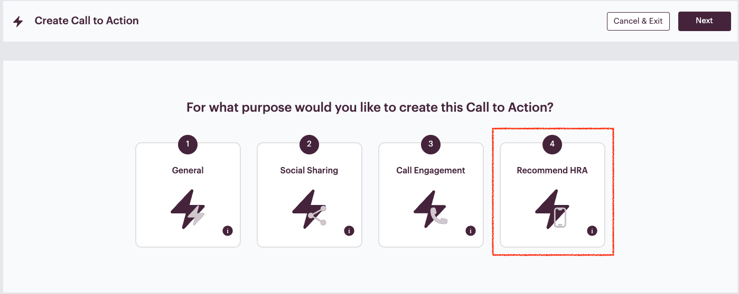
Recommend HRA CTAs: Cross-promoting HRAs to Increase Engagement

The Recommend HRA CTA is a powerful feature that allows you to guide participants from one Health Risk Assessment (HRA) directly into another relevant HRA based on their responses. This creates a seamless experience for users while helping your organization capture deeper engagement and additional insights.
For example, a participant completing the Heart HRA may be categorized as low cardiovascular risk but indicate that they are overweight (based on their height and weight BMI calculation). Using the Recommend HRA CTA, you can guide them directly to your Weight Loss HRA to continue their health journey with a more relevant next step.
This feature helps organizations leverage their HRA programs more strategically by keeping participants engaged and directing them toward additional service lines that may benefit them.
How the Recommend HRA CTA Works
The Recommend HRA CTA allows you to recommend another HRA within the same program while automatically carrying over certain participant information.
When a participant clicks a Recommend HRA CTA:
- They are directed to another HRA you have configured.
- Known fields are automatically pre-populated, including:
- Name
- Email address
- Sex at birth, date of birth, and ethnicity
- Location information (address and zip code)
- Height / Weight
- Previously completed pages are hidden to prevent the participant from re-entering sensitive data.
This creates a frictionless transition between assessments, reducing the amount of information participants must re-enter.
Why This Feature is Valuable
1. Keeps Participants Engaged
Participants who have just completed one HRA are already in a high-engagement mindset. Recommending another relevant assessment keeps them moving forward in their health journey.
2. Expands Service Line Awareness
The Recommend HRA CTA helps introduce participants to other services your organization offers.
Example pathways may include (but aren’t limited to):
| Initial HRA | Recommended HRA |
| Heart | Weight Loss |
| Diabetes | Weight Loss |
| Sleep Apnea | Weight Loss |
| Knee & Hip | Healthy Weight |
| Healthy Weight | Heart |
3. Reduces Friction
Because key fields (such as name, date of birth, zip code, etc.) are pre-populated, participants do not need to re-enter basic information. This reduces abandonment and increases completion rates.
4. Protects Sensitive Information
To maintain privacy and protect PHI:
- Previously completed pages are hidden
- Participants cannot re-access or modify sensitive responses from the original assessment.
Built-in Validation
The Recommend HRA CTA also includes built-in validation rules to ensure participants are directed to appropriate HRAs.
These validations include:
- Age restrictions
- Sex restrictions
- Contracted HRA availability
If a participant does not meet eligibility requirements, the CTA will not direct them into that HRA.
Marketing Preferences & User Action Emails
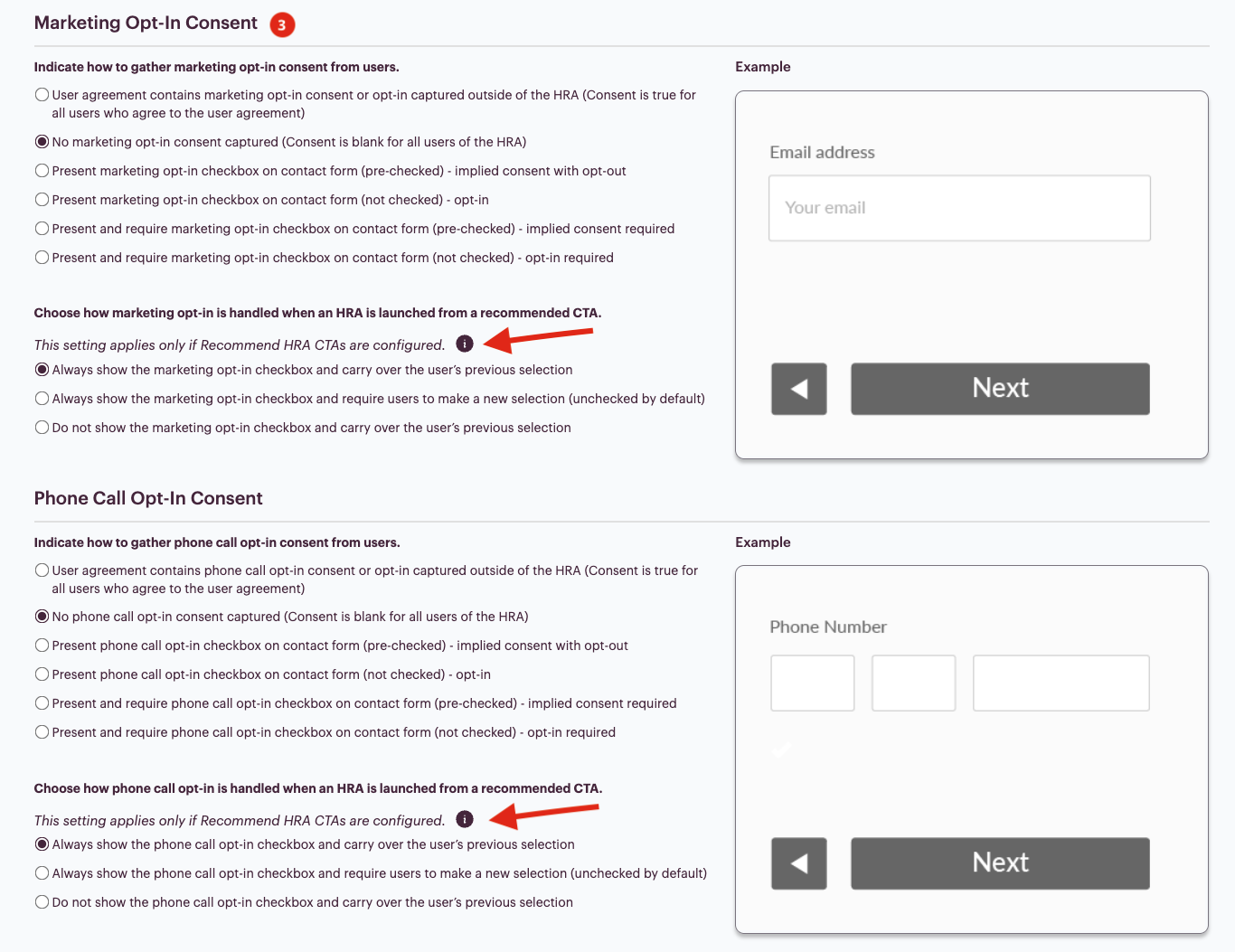
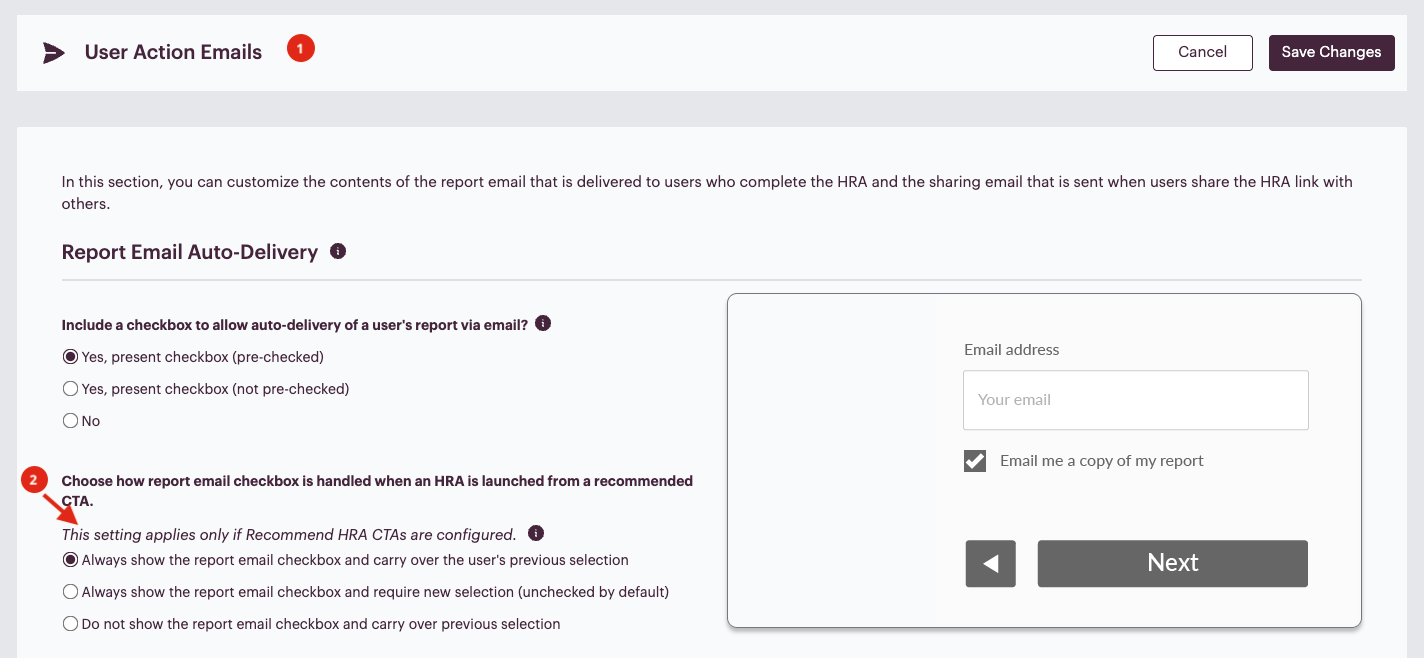
Marketing preferences and user action email behavior associated with Recommend HRA CTAs can be configured directly within the HRA Console.
You can manage these settings in the following areas:
Marketing Opt-In Customization

User Action Email Customization
Within these sections, administrators can:
- Adjust marketing opt-in behavior for participants moving between HRAs
- Customize follow-up email communications triggered by the Recommend HRA CTA
This ensures that participant communication preferences are respected while still allowing organizations to continue nurturing engagement across multiple HRAs.
Best Practice Use Cases
Service Line Cross-Promotion
Use Recommend HRA CTAs to guide participants toward related service lines.
Example: Heart HRA completion and high BMI → Recommend Weight Loss HRA
Awareness Campaigns
During seasonal campaigns (such as Heart Month or Diabetes Awareness Month), Recommend HRA CTAs can help move participants into additional relevant assessments.
Building a Health Journey
Organizations can use Recommend HRA CTAs to create a multi-assessment experience where participants explore multiple aspects of their health in a single session.
Example Patient Journey
- Participant completes the Heart HRA
- Results indicate low cardiovascular risk
- Responses show BMI indicates overweight
- Recommend HRA CTA appears: “Interested in learning more about how weight impacts heart health? Take our Weight Loss Health Risk Assessment.”
- Participant clicks the CTA
- Weight Loss HRA loads with name, email, location data, and height/weight already populated
Key Takeaways
- Recommend HRA CTAs extend the participant journey beyond a single HRA.
- Pre-populated data improves completion rates for secondary assessments.
- Built-in validation ensures appropriate eligibility.
- PHI protections prevent sensitive data from being re-exposed.
- Marketing opt-in and user action emails can be customized within the HRA Console.
- This feature helps organizations maximize the value of their HRA programs.
If you’d like to learn more, check out these resources:
If you need any help navigating the HRA Management Console or have features you wish to see added, don’t hesitate to contact your Client Success representative!
